
CREATIVE PROCESS
How to Organize Your Creative Thoughts
An introduction to Obsidian workflow for people that write notes everywhere.
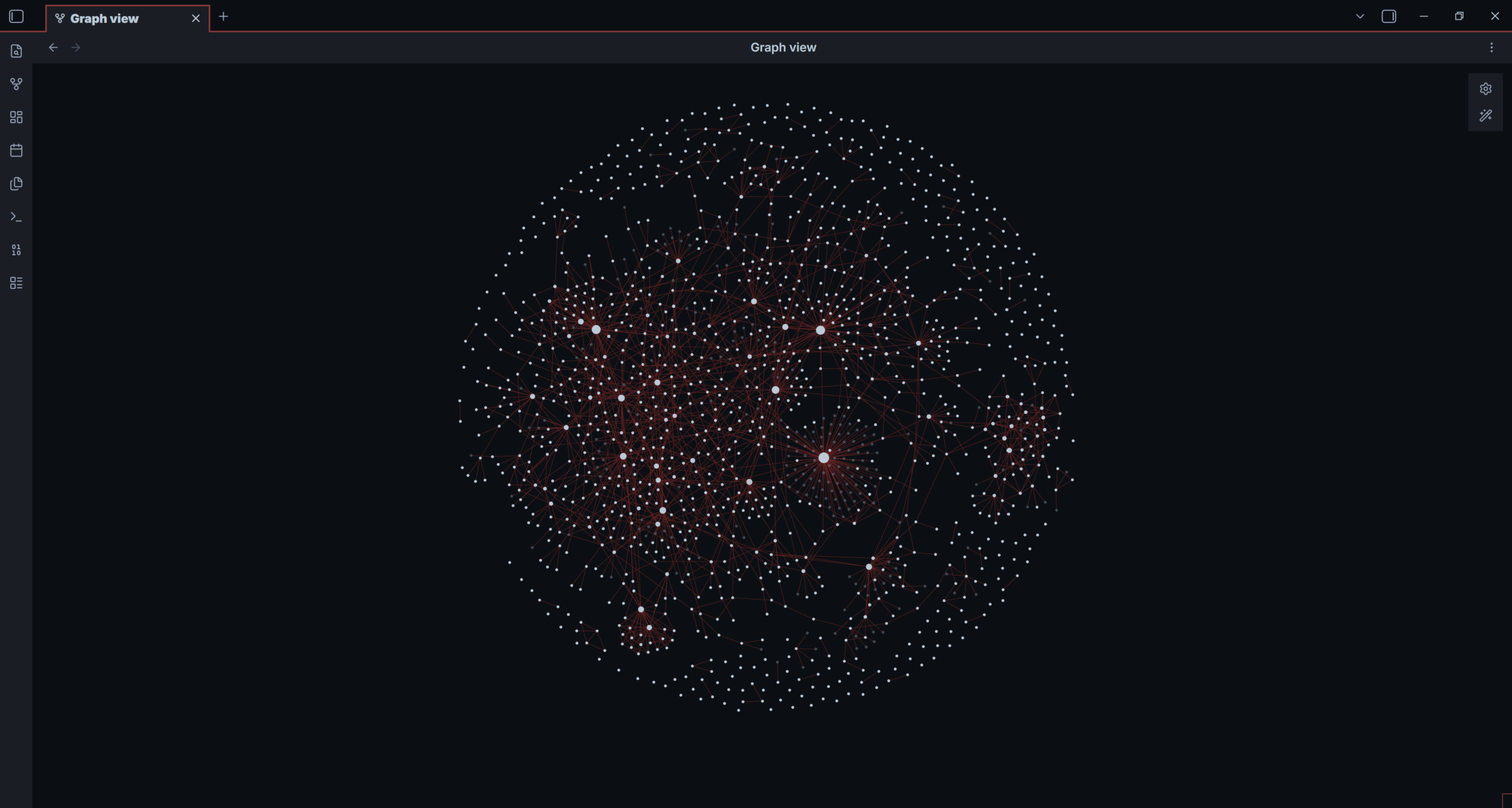
This is what building a second brain looks like!
Some people seem to receive ideas in a line. Mine do not.
I can have one idea directly in front of me, another hovering somewhere above my head, and a third sitting behind me like it has been waiting for the conversation to catch up. That is genuinely the closest description I have for the way my thoughts arrive.
For a long time, my Notes app was where those thoughts went to disappear. I wrote everything down: an image for a magic routine, a title, a line from a book, a question about psychology, a half-formed script. Capturing was easy. Finding anything again was the part that never worked.
Then I found Obsidian. This is not an ad and nobody is paying me to say it. I have used it for years because it gave me a way to build a second brain that does not ask my actual brain to become more linear than it is.
Obsidian is basically Wikipedia for your brain
The simple version: you can make a note about anything, then link it to another note from inside the note itself. Notes all the way down.
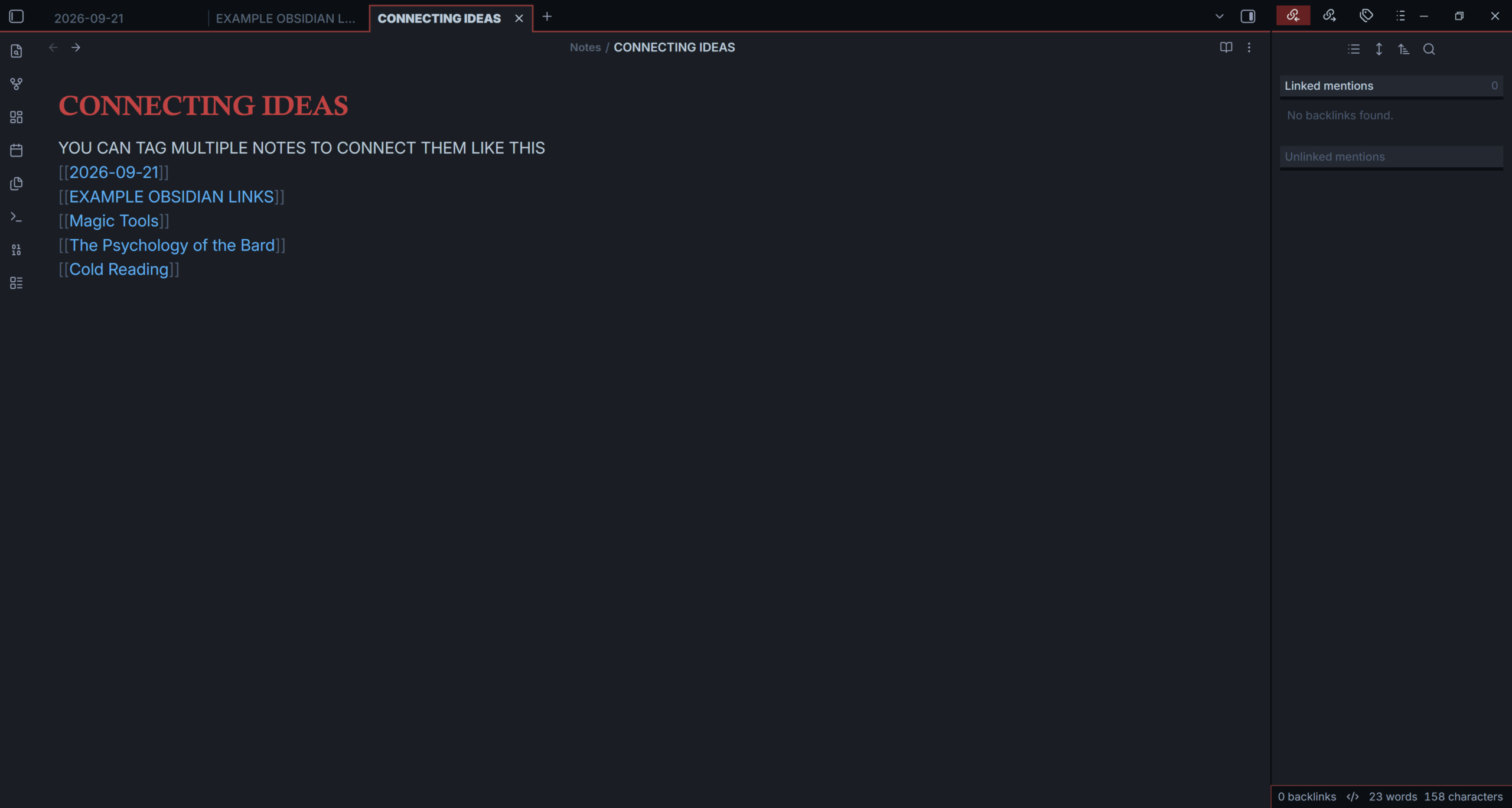
In Obsidian, type [[ and start writing the name of another note. That makes a link. It sounds almost too small to matter, but it changes the question from “Where should I file this?” to “What does this touch?”
Maybe you started a script in January. Two weeks later, you rewrote it and changed the ending. That script can link to the dated working sessions, earlier versions, a note about the effect, and bigger subjects such as Magic, Psychology, or Audience Attention. Months later, you do not need to remember exactly where you put the thought. You can enter through any connected door.
Start with a note. Then ask what it touches.
If you want to try this without turning it into a new administrative hobby, start here:
1. Capture one thought in its own note. A title, a question, a reference, a problem—anything with enough energy that you would be annoyed to lose it.
2. Add two links. One can point backwards to where the thought came from; the other can point forward to what it might become.
3. Make a small hub note only when a subject starts attracting material. A script, a routine, Magic, Psychology, or a project can become a useful home base.
That is enough. You do not need an elaborate folder system before you have anything worth putting in it.
The old idea hiding inside the software
This way of working has an older name: the Zettelkasten system. The term can make it sound like you need a pipe, a German library and several strong opinions about index cards. You do not.
The useful part is simple: keep ideas in small, separate notes and link them by relationship rather than by a rigid category. A note can be unfinished. It can be strange. It can become important later because it has a path back into the rest of your thinking.
I have always struggled to organise and develop topics I am researching or studying. With the way I think, that was about ten times harder. As someone with ADHD, I can have a million thoughts in a day and still have trouble remembering the date, place or event that gives one thought its meaning. Obsidian does not fix that for me. It makes me look for relationships between isolated facts and link them together while they are still alive.
Think in three dimensions, on purpose
The graph view is where Obsidian became personal for me. It turns your linked notes into a field of nodes and lines. A dense cluster might be a subject you keep returning to. A lonely note might be a question that needs a neighbour. A long line between two areas can reveal a connection you would never find by scrolling through folders.
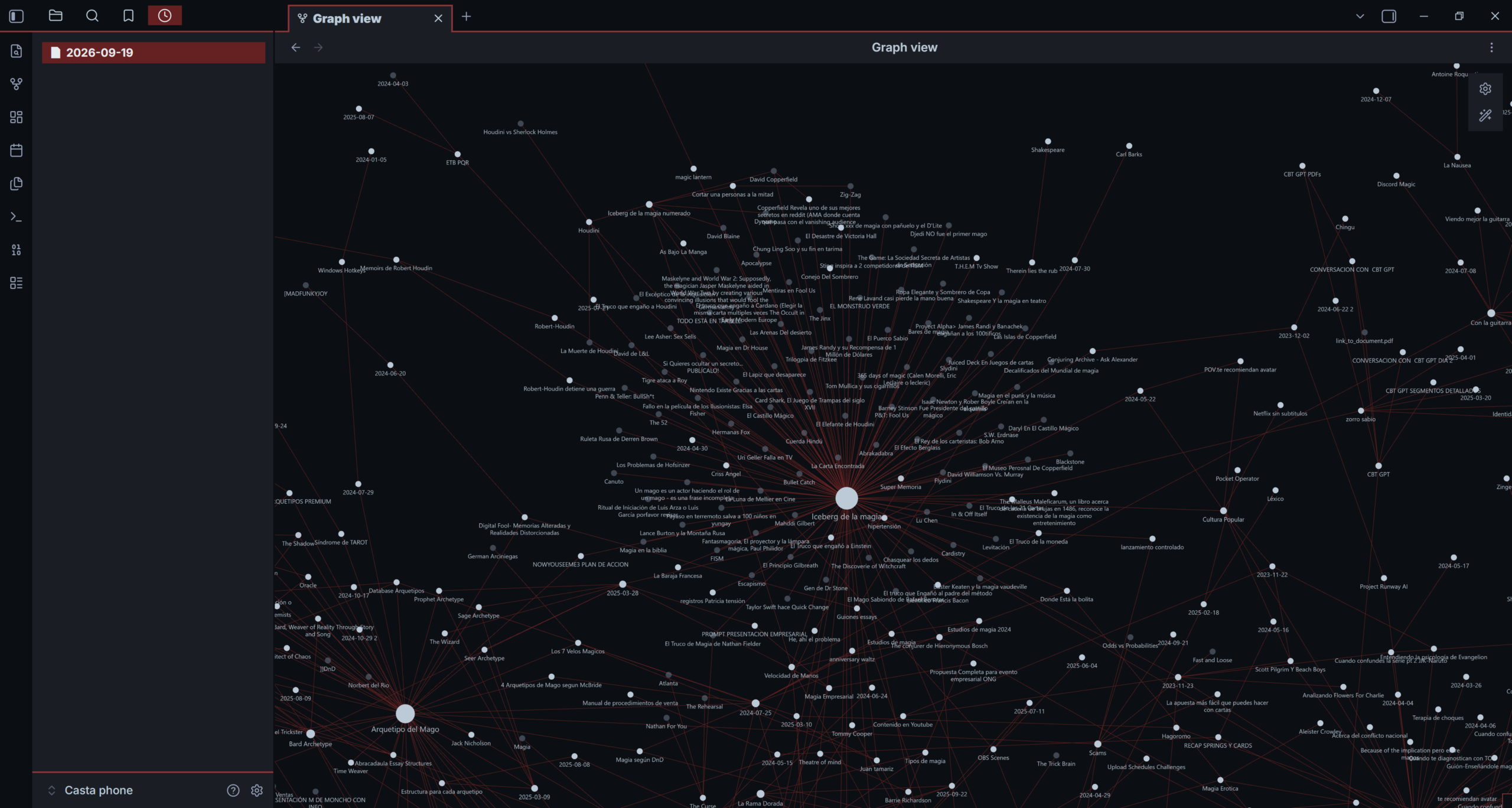
A closer look at my graph: magic, research, people, projects and unfinished questions meeting in the same place.
Do not use the graph as a scorecard. A complicated graph does not mean you are clever, and a sparse graph does not mean you are behind. Use it as a question machine: Which note is sitting on its own? Where does this script touch psychology? What did I already learn about this problem when I was working on something else?
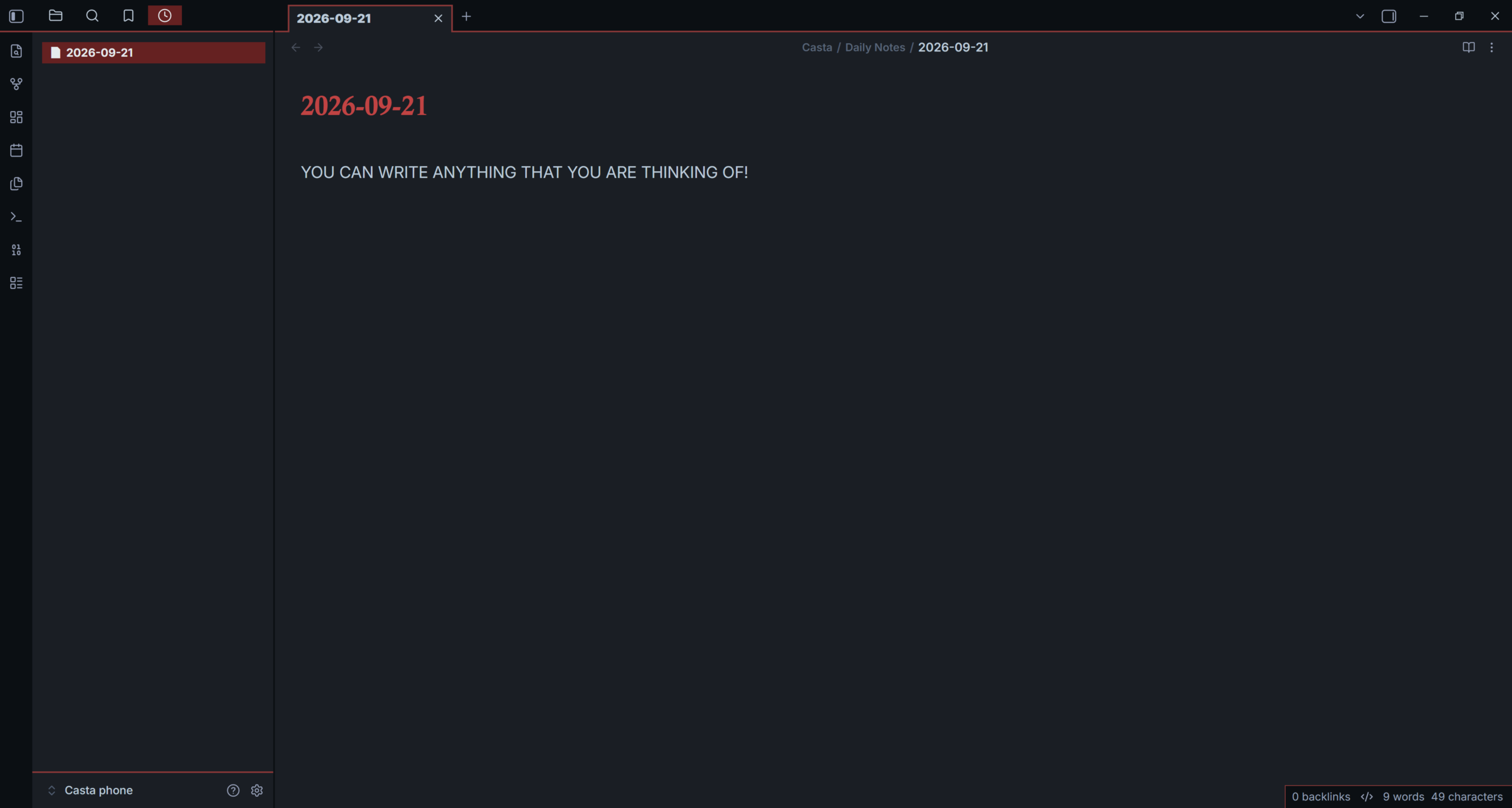
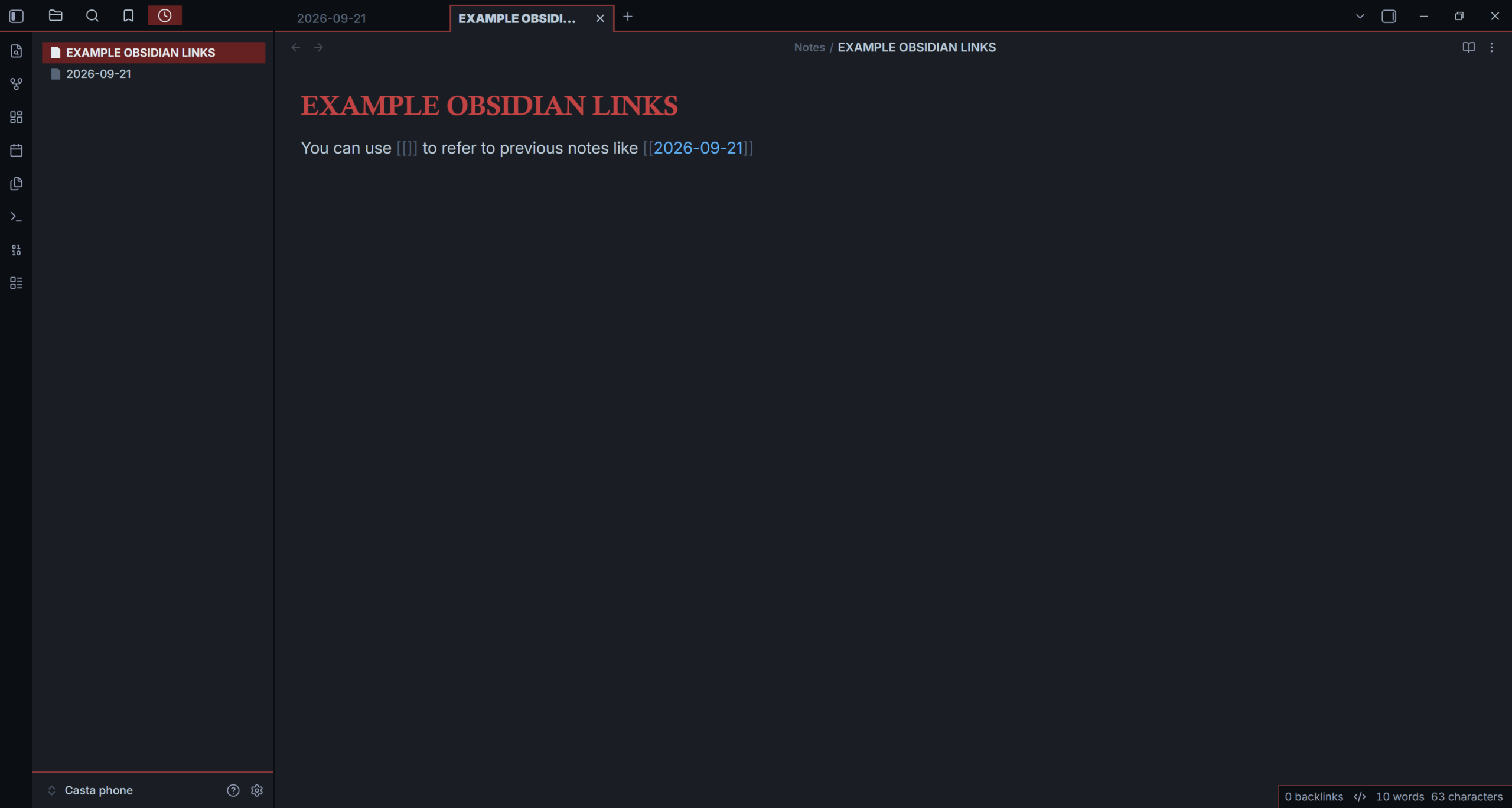
A five-minute reset for a noisy brain
When everything feels scattered, I do not try to organise my entire vault. Open one recent note that still has energy. Link it to one older thought. Link it to one question it creates. Write one sentence explaining each connection. Then open the local graph and follow one route—not the entire universe.
The goal is one honest connection. That is usually enough to turn a floating thought into something you can return to.
What this made possible
Organising my ideas this way gave me enough continuity to create one of my favourite pieces of magic: my torn and restored paper.
It became a place to collect its history, inspirations, variations and the practical ways I wanted it to work both for camera and when surrounded by people. That is what a useful system should do. It should not make you feel organised for an afternoon; it should help a project survive long enough to become real.
References
Ahrens, S. (2017). How to take smart notes: One simple technique to boost writing, learning and thinking for students, academics, and nonfiction book writers. CreateSpace Independent Publishing Platform.
National Institute of Mental Health. (2024). ADHD in adults: 4 things to know. https://www.nimh.nih.gov/health/publications/adhd-what-you-need-to-know
Obsidian. (n.d.-a). Graph view. Obsidian Help. https://obsidian.md/help/plugins/graph
Obsidian. (n.d.-b). Internal links. Obsidian Help. https://obsidian.md/help/links
Obsidian does not organise my mind for me. It makes it possible to find what my mind was already trying to connect.